





- Home
- Uncategorized
- Gift Card


Gift Card
$25.00 Springtime Gift Cards make a great present for any occasion! Cards never expire and there are no extra fees.
How to use your Springtime Gift Card
Springtime gift cards may be applied to orders during the checkout process.
In step 4 where payment information is entered, the payment method drop-down menu has a “Gift Card” option. Select that option, enter the gift card number, and click “Submit Payment.” Your cart summary will then indicate that a gift card has been applied for XX amount and the remaining balance due.
You may apply up to 4 Springtime gift cards per order. After each addition, reselect “Gift Card” from the payment method menu and repeat the steps above. Once you have entered your gift card information, please select “Credit Card” and enter that information for the remaining balance due.
Please be aware that if you are paying with PayPal you will not be able to apply a gift card to your order.
For balance inquiry, please visit: https://www.tendercard.net/cardholder/ or call at 1-800-521-3212
Springtime Gift Cards may be redeemed online at www.springtime.com or 1-800-521-3212 for Springtime merchandise only.
PRODUCT SUMMARY
Redeemable towards any Springtime product for dogs, horses or people. Each Gift Card has a value of $25.00 – order as many as you wish. There are no extra fees and Gift Cards never expire.
• $25.00 value each – purchase as many Springtime Gift Cards as desired.
• No expiration date or added fees.
• Springtime Gift Cards will be included with order shipped, or, if purchased individually, will be sent free of charge to U.S. Customers only via U.S. Postal Service. Domestic deliveries will take up to 4-7 business days.
• For balance inquiry, please visit: https://www.tendercard.net/cardholder/ or call at 1-800-521-3212.
Springtime’s Gift Cards Terms & Conditions
1. Eligibility: The purchase of Springtime’s Gift Cards are not eligible for promotional discounts, and will not count towards Free Shipping & Bonus Items for Orders $75.00 and Up. It has no cash value and cannot be redeemed for cash or to purchase another Gift Card.
2. Redemption: Springtime Gift Card may be redeemed at www.springtimeinc.com or via phone at 1-800-521-3212 for Springtime merchandise only.
3. No Refunds: Gift Cards are not returnable.
4. Lost, Damaged, or Stolen Gift Card: Springtime is not responsible for unauthorized card use or lost, stolen, or damaged cards.
5. Balance: For balance inquiry, please visit: https://www.tendercard.net/cardholder/ or call at 1-800-521-3212.
How to use your Springtime Gift Card
Springtime gift cards may be applied to orders during the checkout process.
In step 4 where payment information is entered, the payment method drop-down menu has a “Gift Card” option. Select that option, enter the gift card number, and click “Submit Payment.” Your cart summary will then indicate that a gift card has been applied for XX amount and the remaining balance due.
You may apply up to 4 Springtime gift cards per order. After each addition, reselect “Gift Card” from the payment method menu and repeat the steps above. Once you have entered your gift card information, please select “Credit Card” and enter that information for the remaining balance due.
Please be aware that if you are paying with PayPal you will not be able to apply a gift card to your order.
For balance inquiry, please visit: https://www.tendercard.net/cardholder/ or call at 1-800-521-3212
Springtime Gift Cards may be redeemed online at www.springtime.com or 1-800-521-3212 for Springtime merchandise only.
PRODUCT SUMMARY
Redeemable towards any Springtime product for dogs, horses or people. Each Gift Card has a value of $25.00 – order as many as you wish. There are no extra fees and Gift Cards never expire.
• $25.00 value each – purchase as many Springtime Gift Cards as desired.
• No expiration date or added fees.
• Springtime Gift Cards will be included with order shipped, or, if purchased individually, will be sent free of charge to U.S. Customers only via U.S. Postal Service. Domestic deliveries will take up to 4-7 business days.
• For balance inquiry, please visit: https://www.tendercard.net/cardholder/ or call at 1-800-521-3212.
Springtime’s Gift Cards Terms & Conditions
1. Eligibility: The purchase of Springtime’s Gift Cards are not eligible for promotional discounts, and will not count towards Free Shipping & Bonus Items for Orders $75.00 and Up. It has no cash value and cannot be redeemed for cash or to purchase another Gift Card.
2. Redemption: Springtime Gift Card may be redeemed at www.springtimeinc.com or via phone at 1-800-521-3212 for Springtime merchandise only.
3. No Refunds: Gift Cards are not returnable.
4. Lost, Damaged, or Stolen Gift Card: Springtime is not responsible for unauthorized card use or lost, stolen, or damaged cards.
5. Balance: For balance inquiry, please visit: https://www.tendercard.net/cardholder/ or call at 1-800-521-3212.
Suggested Products
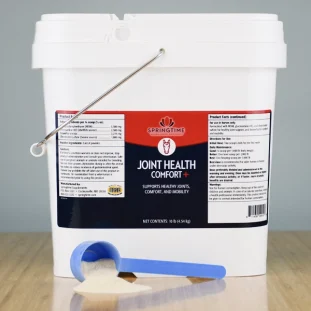
$114.00 – $631.50Price range: $114.00 through $631.50 — or subscribe to save 5%

$58.25 – $289.25Price range: $58.25 through $289.25 — or subscribe to save 5%

$25.50 – $263.00Price range: $25.50 through $263.00 — or subscribe to save 5%

$23.50 – $47.00Price range: $23.50 through $47.00 — or subscribe to save 5%